Log retention refers to keeping the logs collected in the OpsRamp cloud for a specific amount of time, which identifies the duration of time for which the information should be maintained or retained. By keeping these records, users can gain critical insight into the activities happening on their network.
When configuring log retention settings, users can choose different retention periods: 7, 15, 30, 60, 90, 180, and 365 days (15 days is the default retention period) with Max. time range selection window is any 31 days to filter logs.
To retain the logs:
- Navigate to Infrastructure > Logs.
- On the left side of this page, click the Menu icon.
- From the MY LOGS VIEWS page, under QUICK LINKS, select Logs Configuration.The configuration page is displayed.
- From the configurations page, select the SETTINGS tab.
- Select RETENTION. The RETENTION PERIOD details page is displayed.
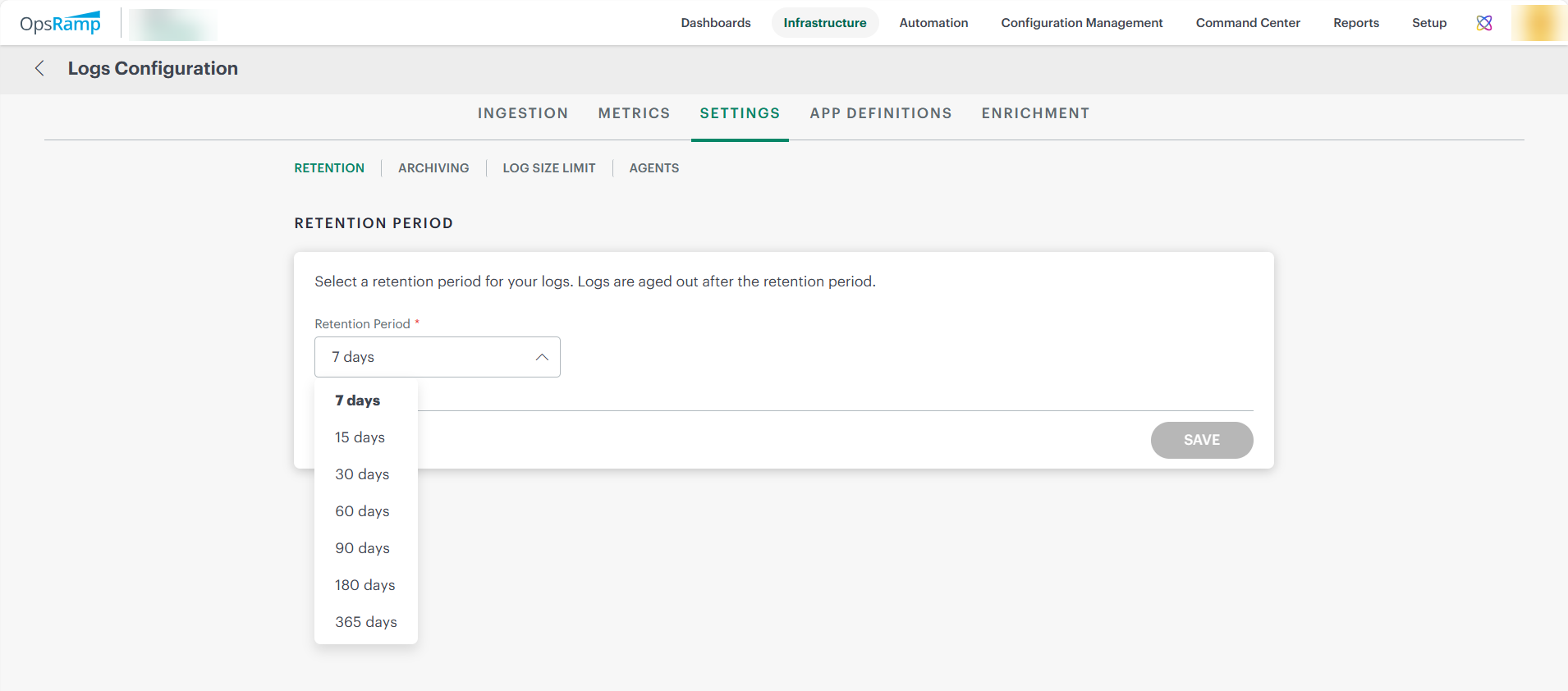
- You can select the retention period from the Retention Period drop-down list.
- Click Save.The data is saved and the logs will be retained for a selected period.